
Dell e2214hb monitor | Dell partner in Dubai
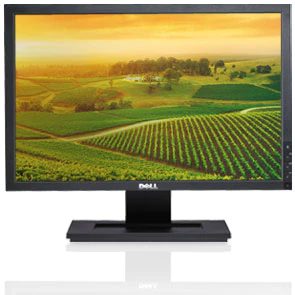
Features:
For business users who want a large, yet affordable widescreen monitor, the Dell E1909W offers:
|
Description :
Envision smart features and easy connectivity options that help get the job done
The right features and a crisp, clear presentation, combined with a thoughtful design provide you with a smart investment for today and into the future.
Attractive New Design
The DellTM E1909W widescreen flat panel monitor features a sleek, space-saving design that matches Dell OptiPlexTM and VostroTM desktops and Dell PrecisionTM workstations.
Multimedia Capability
The Dell E1909W offers fast 5 ms pixel response times and a high 1000:1 contrast ratio for a stunning multimedia experience.
Eco-Friendly
The new E1909W is registered as an EPEAT Gold product. Its external chassis also comprises more than 25% post-consumer recycled plastics to reduce environmental impact.
Connectivity
The Dell E1909W is equipped with a Video Graphics Array (VGA) port and a Digital Visual Interface (DVI) port that enables playback of content encoded with High-Bandwidth Digital-Content Protection (HDCP).
Dependability
Dell works closely with the world’s leading technology partners to produce widescreen monitors that meet stringent quality parameters for low failure rates.
Environmentally conscious manufacturing
The Dell 22 Monitor meets the latest regulatory and environmental standards.
- ENERGY STAR® Qualified
- EPEAT® Gold Rated3
- TCO Certified Displays
- China Energy Labeled (CEL)
Energy-efficient design
With 19W normal-operation power consumption (typical) and less than 0.5W in active-off mode, the Dell 22 Monitor can help keep energy costs down, particularly in large deployments. Manage power consumption wisely with PowerNap, which you can enable through the Dell Display Manager to either dim the monitor to the minimum brightness level or put it into sleep mode when it is not in use.
Quick Enquiry
Need Help?
Please Feel Free To Contact Us.
sales@cadgulf.com
+971 4 3311140 / 3314445